Optimizing APIs in Node.js and Express Using Aggregation Pipelines
The Pitfalls of Application-Level Processing
As Node.js developers building RESTful APIs with Express, we often fall into a trap: fetching large datasets from our database and processing that data in memory using pure JavaScript. While methods like .map(), .filter(), and .reduce() are incredibly powerful, they come with significant performance costs when handling thousands or millions of records.
Transferring massive amounts of raw data from the database server to the application server floods the network, spikes CPU usage on the Node process (blocking the single-threaded event loop), and drastically increases memory consumption. This leads to slow API response times and ultimately, poor user experiences.
Enter Database-Level Processing
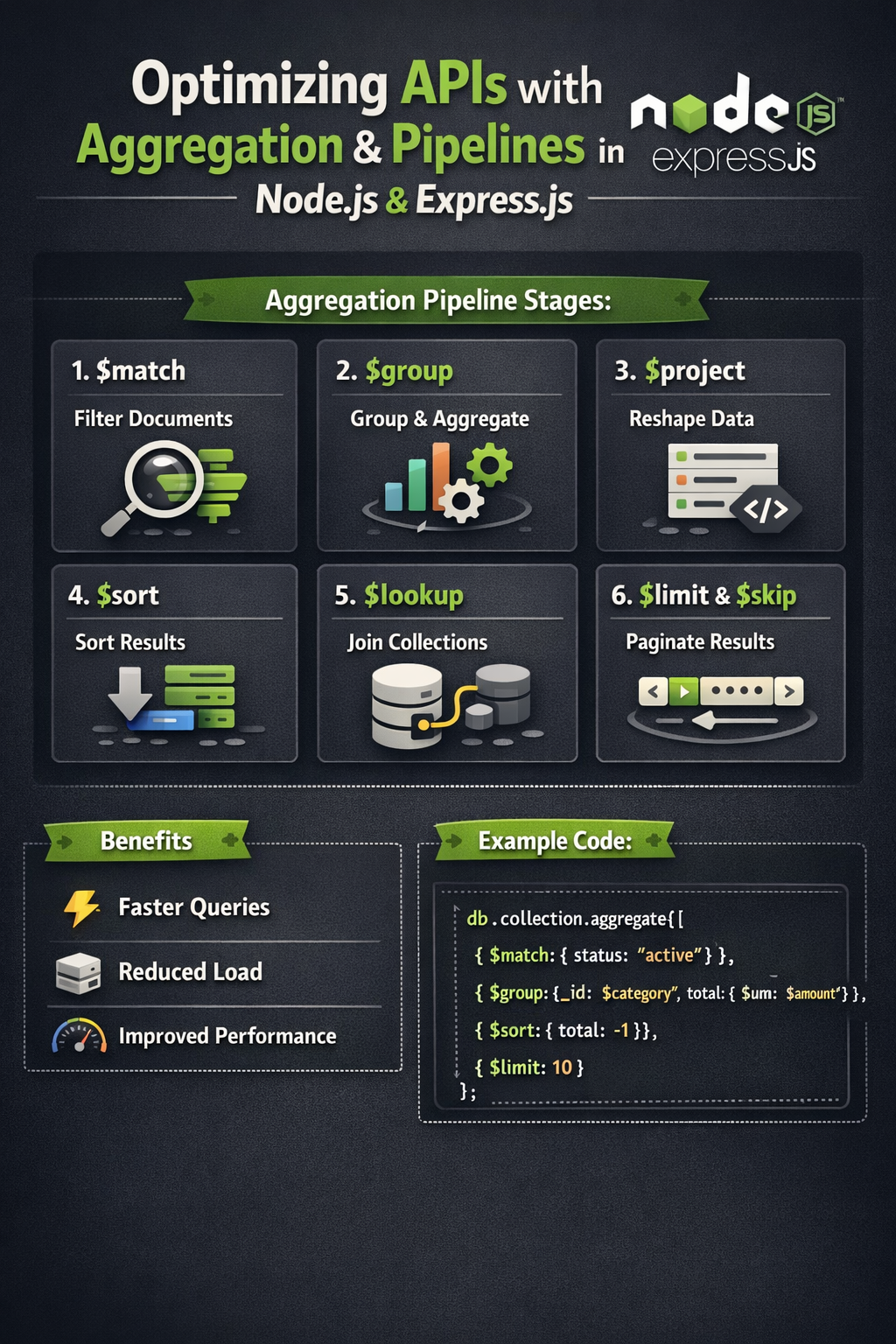
The solution is to offload the heavy lifting back to where the data lives: the database. In MongoDB, this is achieved through Aggregation Pipelines. The aggregation framework allows you to process data records and return computed results, filtering, transforming, and grouping data before it ever hits your Node.js application.
Building an Efficient Aggregation Pipeline
An aggregation pipeline consists of one or more stages that process documents. Each stage transforms the documents as they pass through. Here are the most critical stages for optimizing your Express routes:
1. Early Filtering with $match
Always place your $match stages as early in the pipeline as possible. This reduces the number of documents passed to subsequent stages, saving both compute and memory. It works similarly to a standard query and can utilize indexes.
// Bad: Fetching everything, then filtering in JS
const users = await User.find({});
const activeAdults = users.filter((u) => u.age >= 18 && u.status === 'active');

// Good: Filtering at the database level
const activeAdults = await User.aggregate([
  { $match: { age: { $gte: 18 }, status: 'active' } }
]);
2. Reshaping Data with $project and $lookup
Instead of executing multiple queries to resolve foreign keys (the notorious N+1 problem), use $lookup to perform a left outer join to another collection. Follow this with a $project stage to strip out sensitive or unnecessary fields (like passwords or internal IDs) before sending the JSON response back to the client.
const userOrders = await User.aggregate([
  { $match: { _id: userId } },
  {
    $lookup: {
      from: "orders",
      localField: "_id",
      foreignField: "userId",
      as: "orderDetails"
    }
  },
  {
    $project: {
      password: 0,
      __v: 0,
      "orderDetails.internalNotes": 0
    }
  }
]);
3. Data Summarization with $group
When building dashboards or analytics endpoints in Express, computing totals, averages, or max values via JavaScript loops is extremely inefficient. The $group stage calculates these metrics natively in C++ on the MongoDB server.
Measuring the Impact
By migrating complex data transformations from your Express controllers to MongoDB aggregations, you will typically observe:
- Reduced Network I/O: Only the final, computed data travels over the wire.
- Lower Memory Footprint: Node.js garbage collection has far fewer objects to trace and sweep.
- Faster Response Times: MongoDB's execution engine is highly optimized for these exact operations, leveraging indexes and internal caching mechanisms.
Next time you find yourself writing a complex .reduce() function in your API route, take a step back and ask: Could the database do this for me?